Mac (Universal)
Version 1.0.0 · Universal DMG
Download for Mac (Universal)For collectors. In every detail.
For the cards you own.
And the ones you’re still hunting.
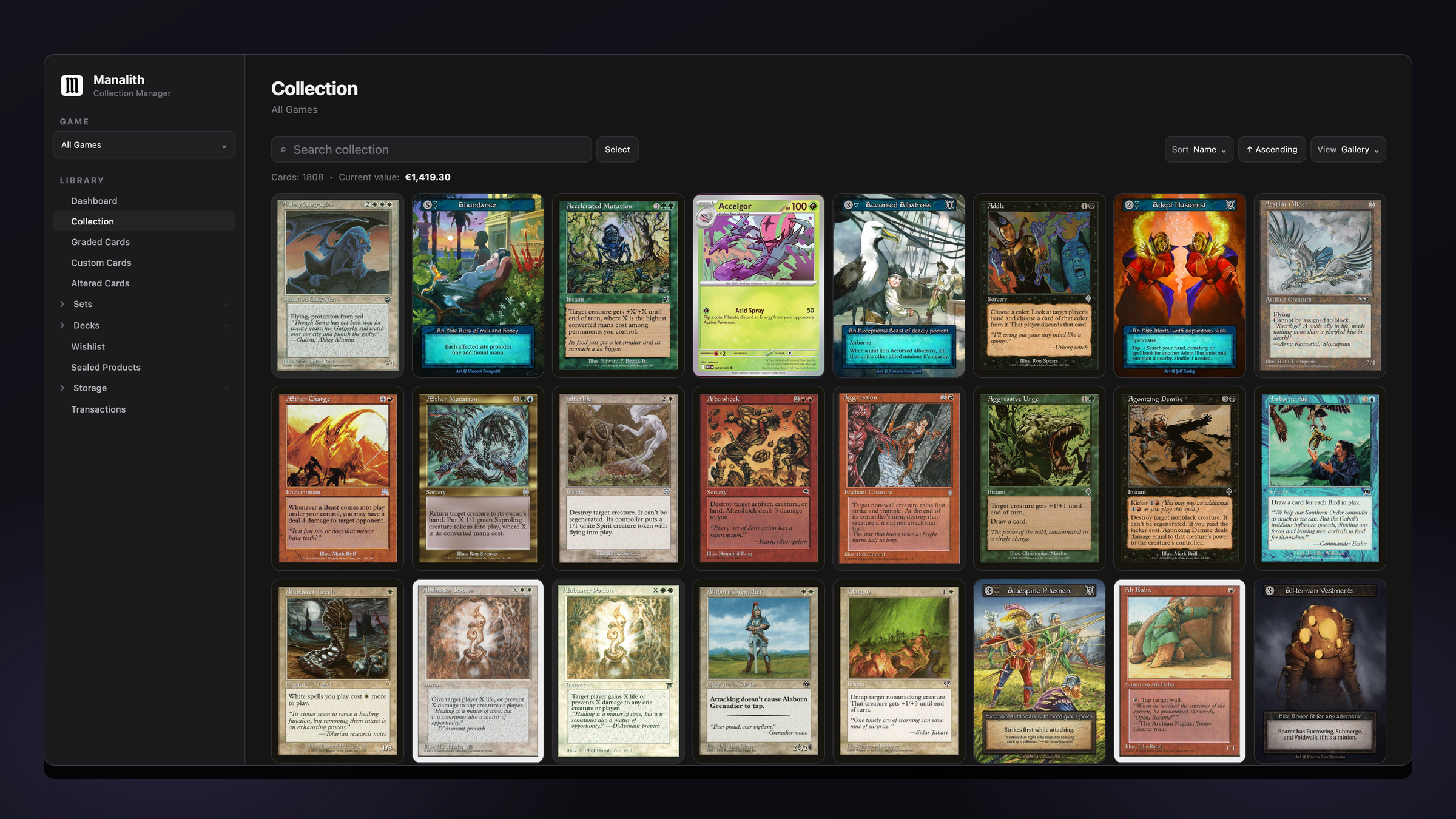
Manalith is a card collection app for collectors who want to keep their cards, sets, storage, and collection insights together. From a single binder to a room full of boxes, give every part of your collection its place.
DOWNLOAD
Free, no subscription.
Version 1.0.0 · Universal DMG
Download for Mac (Universal)Version 1.0.0 · Windows installer
Download for WindowsSeeing a security warning? How to install Manalith on Mac or Windows
Version 1.0.0 is available for Mac and Windows. See system requirements below.
SUPPORTED GAMES
Catalogue coverage, artwork, and pricing availability vary by game.
Manalith is an independent app and is not affiliated with, endorsed by, or sponsored by any of these games or their publishers. Game names, trademarks, and related artwork belong to their respective owners.
FEATURES
Organise multiple card games, graded cards, sealed products and custom cards together.
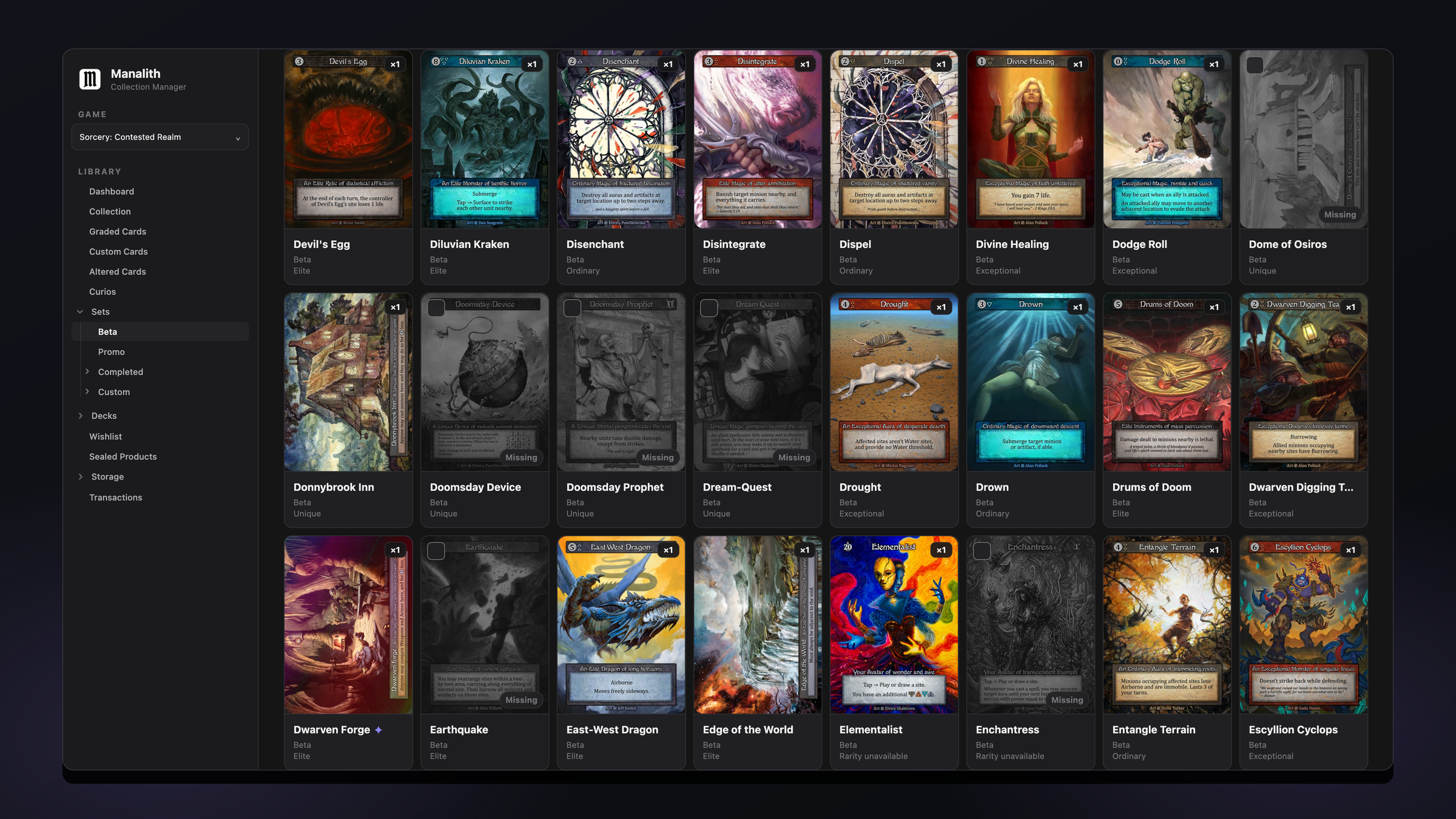
Track set completion, spot gaps and build a wishlist for your next collecting adventure.
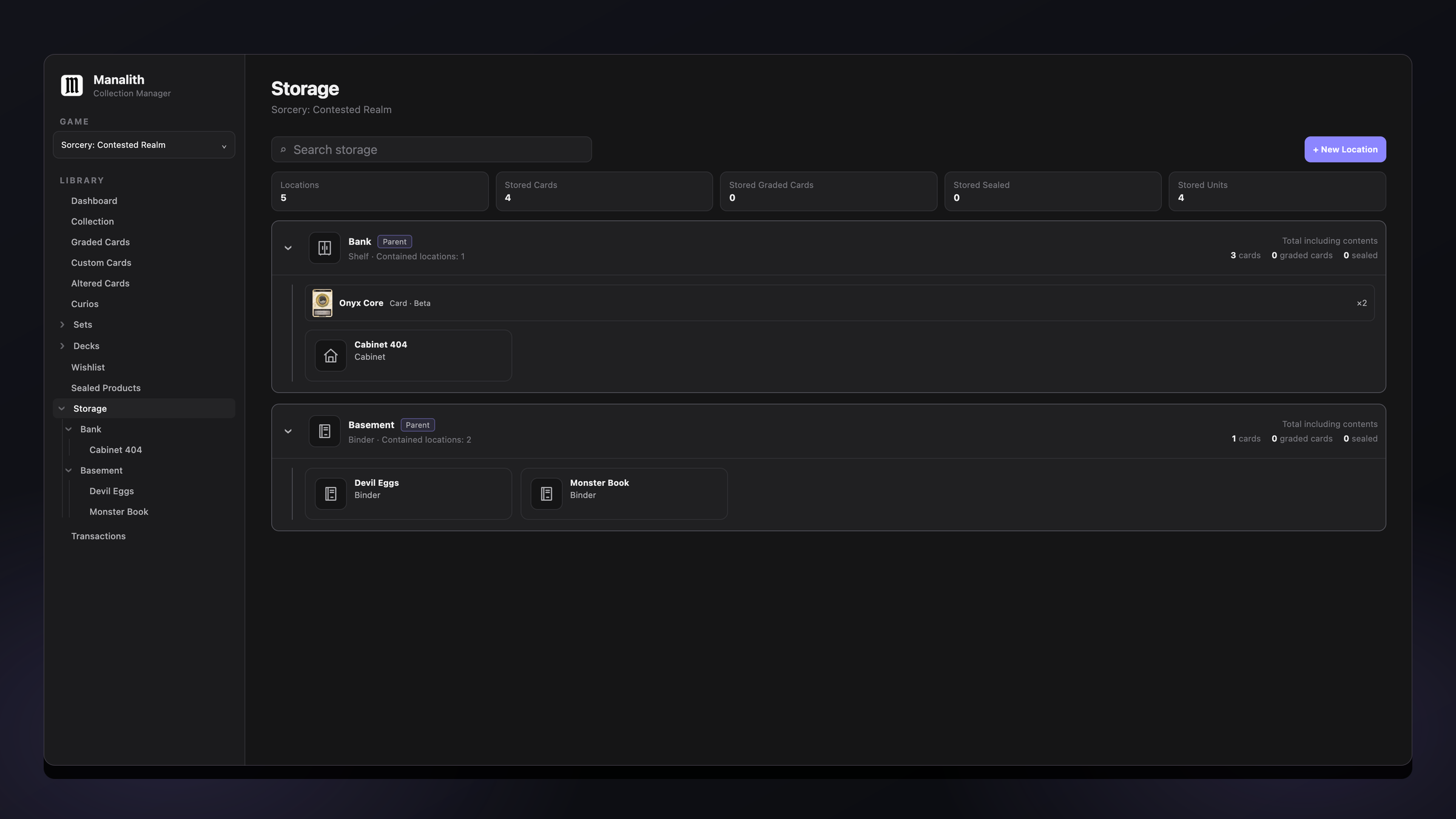
Organise shelves, boxes and binders with nested storage locations. Find the card—not just its entry.
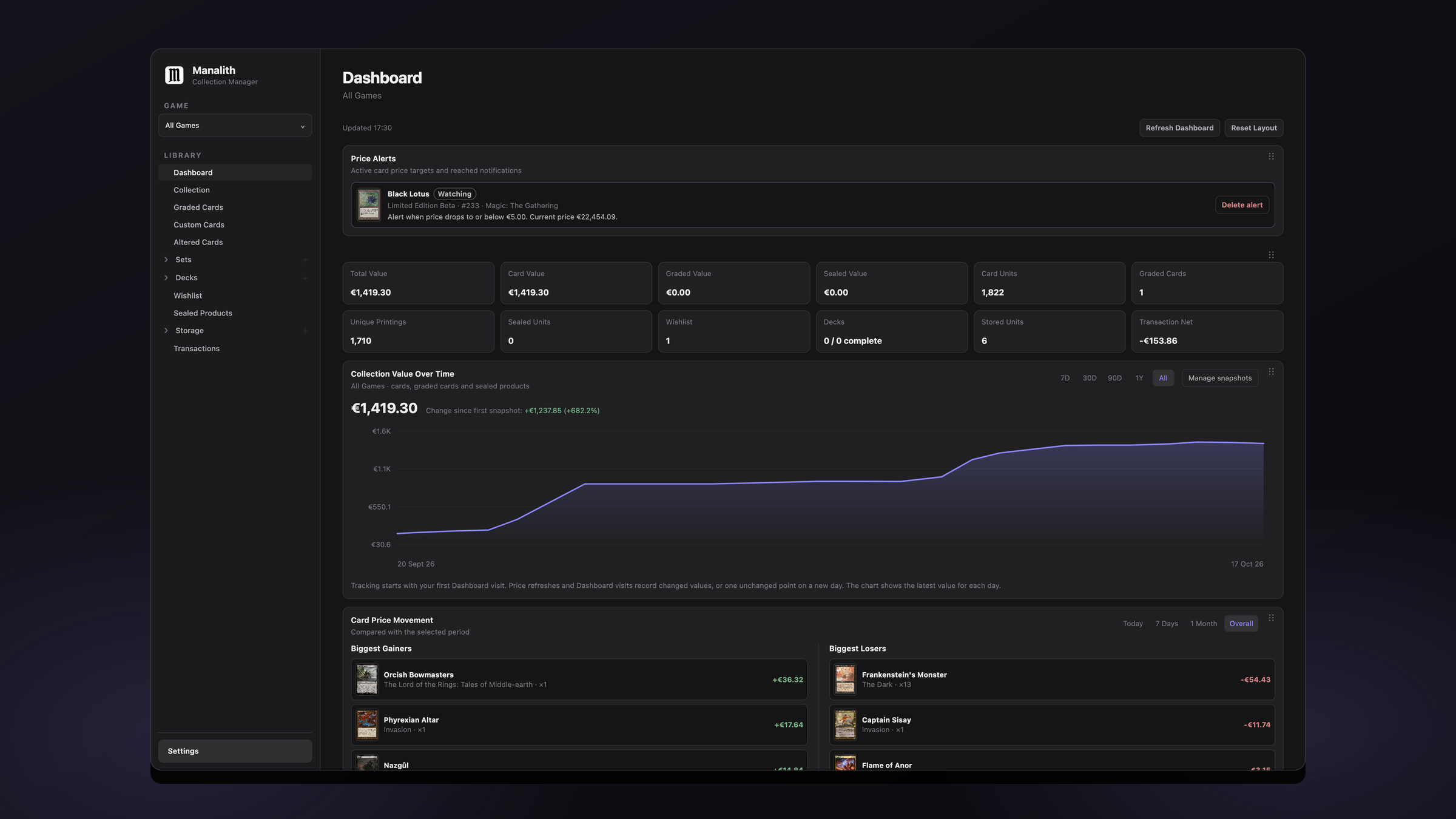
Explore current card prices, your most valuable sets and collection insights through a customisable dashboard.
Download catalogues and artwork to browse without an internet connection. Online pricing still requires internet access.
Enjoy the full app without card limits or paid feature tiers. Support its development only if you want to.
Choose from distinctive themes, customise colours and fonts, and arrange your dashboard around what matters to you.
Record purchases, sales and trades with transaction tracking built into your collection manager.
Discover deck organisation, price alerts, custom cards, and other tools built around the way you collect.
SCREENSHOTS
Explore the spaces that bring your collection together.
SYSTEM REQUIREMENTS
For the current Manalith version.
FAQ
Yes. Manalith is free for personal, non-commercial use, with no subscription, card limits or paid feature tiers.
No hidden fees or paid upgrades. Manalith is free for personal, non-commercial use. Donations are optional, and your collection stays on your device. Online catalogue, artwork and pricing features still contact external services, as explained on the Privacy page.
See the Mac and Windows installation guide for step-by-step instructions and help with first-launch security warnings.
Downloaded catalogues and cached artwork support offline browsing. Prepare the data you need while online; coverage depends on the game. New downloads and online pricing updates require a connection.
On both Mac and Windows, Manalith needs read and write access to your Documents folder to store its local collection files, downloaded card data and backups. If your operating system asks for Documents access, allow it so the app can save and load these files. This access is for local storage—it doesn’t upload your collection to a Manalith server.
Yes. Create a portable backup from the app’s Data & Backup settings. Backups include collection records and referenced custom artwork. Downloadable catalogue artwork is cached separately.
Pricing coverage depends on the game and available data. Collection values are estimates based on that data.
Manalith is an independent app and is not affiliated with, endorsed by, or sponsored by any of these games or their publishers. Game names, trademarks, and related artwork belong to their respective owners.
Email contact@getmanalith.com with a description of the issue, your Manalith version, and your operating system.
Never send personal or sensitive information. I will never ask for your collection database, backup files, passwords, payment details, or other personal or sensitive information.
SUPPORT MANALITH
Manalith is free, and donations are entirely optional. Your support helps fund development time, maintenance, and continued improvements.
No donation is required to use Manalith.